
How to Enhance Documentation With Codes
Documentation doesn’t need to be longer to be stronger — it needs to be easier to follow. This practical guide explains how educators can use coding systems (like initials, dates, stickers, colour coding, EYLF learning outcomes and NQS tags) to make the cycle of planning clear, consistent, and easy to evidence. With simple examples for both programming and leadership diaries, you’ll learn how to strengthen compliance and show intentional teaching without increasing workload.

If you’ve ever looked at your documentation and thought:
-
“We document all day… why does it still feel like it’s not enough?”
-
“How do I prove learning is ongoing without writing a novel?”
-
“How do I show the cycle of planning clearly for each child?”
You’re not alone.
In Assessment and Rating, the issue is rarely lack of documentation — it’s that the evidence is hard to follow.
That’s where coding systems become one of the most effective (and time-saving) strategies you can introduce in your service.
Coding lets you make learning visible using:
-
initials
-
dates
-
symbols
-
colour coding
-
stickers
-
short “tags” like EYLF outcomes, NQS links, and planning-cycle stages
- and other systems
It doesn’t add more workload — it simply makes your professional judgement easier to see.
What is “coding” in documentation?
Coding is a consistent shorthand system that helps educators quickly show:
- what was observed
- which child/children it relates to
- what learning outcomes, goals, or compliance areas were supported
- how the experience was extended
- how reflection informed next steps
Coding turns your documentation into traceable evidence, not scattered notes.
This aligns beautifully with the planning-cycle expectations explained in Butler Diaries’ unpacking of the EYLF/MTOP planning cycle.

Why coding strengthens compliance (and the cycle of planning)
Think of Assessment and Rating like this:
Assessors don’t want to read more. They don't have the time or desire to read mountains of documentation. If anything, placing piles in front of them can result in you getting marked down because it is just too hard to sight the evidence even if it is there.
What they want to see is the connections.
Coding gives you:
-
stronger links between observation → planning → reflection → extension
-
clearer evidence of intentional teaching
-
visible evaluation of practice over time
- clear links to compliance, purpose and intention
This is directly supported by Butler Diaries’ emphasis on minimum documentation with maximum compliance — where the diary layout and approach supports the planning cycle itself.
Coding Examples for Programming and Reflection
Coding Example 1 - Initials + Dates: Strong, clear compliance links
This is the most underrated documentation strategy — because it proves individual learning journeys without rewriting the same story.
How it works
Use:
-
child initials
-
date tags
-
short observation code
Example code style
-
[JM 12/2] = child initials + date
-
Obs = observation
-
Ext = extension
-
F/U = follow up
- Goal = observation
Diary example
On the 12/2 in the Wellbeing/ Mindfulness box: Balance planks [JM 12/2 Goal/Obs]
Now we know an observation was taken about JM on the 12/2 on the balance planks and it relates to a goal.
On the 13/2 in the Wellbeing/ Mindfulness box: Added ramp + measured distance using blocks [JM 12/2 Ext]
Here we can see we extended on the experience from the 12/2 by making the experience more challenging for JM.
On the 13/2 in the evidence box in the reflection spread: [Photo of JM] Needed peer support when materials changed [JM 13/2]. Continue to explore JM's goal of balance - gross motor skills with longer surfaces + introduce safe risk language.
Rather than write up another physical observation, we evaluated the extension in the reflection spread of the Diary, and we identified the goal will increase in complexity but remain a goal of balance - gross motor skills.
If someone picked up this Diary, they would be able to flip back and follow the cycle of planning for JM with little explanation from the Educator.
Creating a code
These are just examples of the kind of codes you can put in place to tell the reader a lot of information with very little writing. It highlights the cycle, intentional teaching, and individualised learning and goal setting. A few lines have told a powerful narrative with no more than a few lines.
You do not have to follow this code. You can create any code that works for you, your service, and your teaching style. This might be symbols or other forms of words or numbers. There is no right or wrong answer however it is important to consider:
- Consistency: For your code to be effective, it should be consistently used across your documentation.
-
Simplicity: You don't want the code to be too complicated that it requires a key and lots of explaining to understand it - that defeats the purpose of using one!
-
Confidentiality: Be mindful of confidentiality when coding children's names or focus groups.
-
Compliance: Think about what you are trying to demonstrate with your code; cycle of planning, intentional teaching, individualised learning, etc.

Coding Example 2 - Link learning outcomes with colour: Bright and visual
While the previous section was about making compliance clear, this one focuses on making it fast and visual.
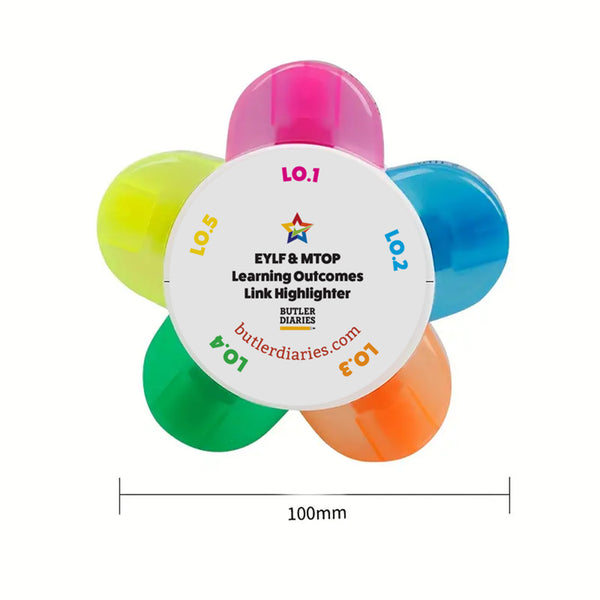
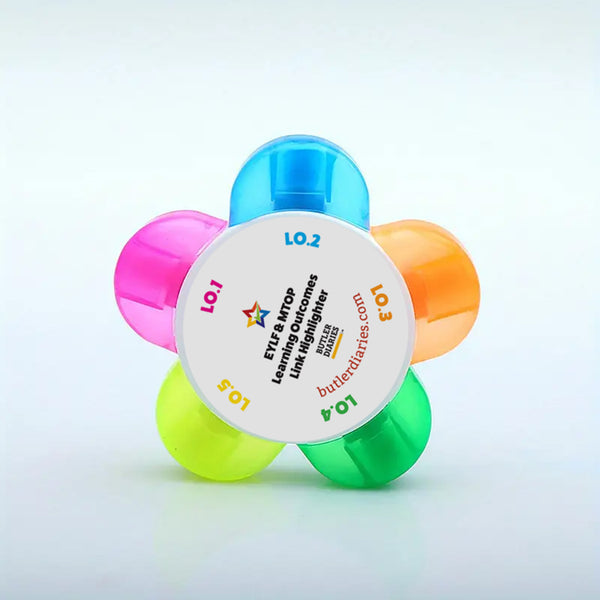
Butler Diaries’ EYLF/MTOP Link Highlighter Pen is designed specifically to simplify linking programming/reflections to outcomes.
Recommended highlighter code system
Each learning outcome is assigned a colour, this colour is consistent across your Highlighter, the headings in your Weekly Programming and Reflection Diary, stickers in the Framework and Diary Stickers, and in the Printer Pack.
Then you only need to:
-
highlight the relevant line
-
add the outcome number if designed to make it more clear

Example
“Dramatic play: Negotiating roles.”
➡ highlight that sentence with the LO1 colour
➡ add O1.2 for specific links
This creates immediate evidence that:
-
learning outcomes are known
-
outcomes are used across the week
-
programming is intentional, not random

Coding Example 3 - Outcome linking with stickers: fast and built in
If a team struggles with consistency, stickers are a game-changer because they standardise the evidence and are already in your Diary!
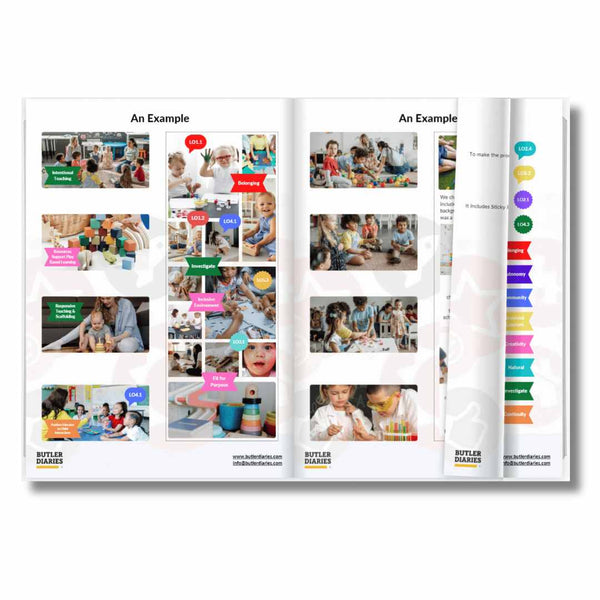
Butler Diaries Framework and Diary Stickers are designed to help educators link, label, and highlight compliance indicators quickly.

Sticker coding examples
Use stickers to show:
-
EYLF/MTOP outcomes (you can use a mix of highlighting colour coding and stickers because all the learning outcomes match!)
-
reflection prompts
-
follow-up/extension
-
wellbeing or behaviour guidance notes
-
compliance tags

Practical example
-
Program entry: sensory play + fine motor focus
-
Add sticker: LO4 and Goal to highlight the learning outcome and that it is a child or group's goal
This is the planning cycle made visible — without extra writing.
Coding Example 4 - “Planning cycle tags” that make your cycle undeniable
This is my favourite method for Assessment and Rating because it makes the cycle readable like a timeline. It also helps make sure you've got one or two examples highlighed so when it comes to speaking with the Assessor, you can follow your prompts with little stress or pressure!
You could write a note like 'ob' or 'as' to highlight different stages or your Framework and Diary Stickers also come with cycle of planning stickers to highlight examples.
Example (group experience)
Obs: children returning to water play daily; experimenting with flow - written in a day story
Plan: introduce pipes + funnels; vocabulary focus (full/empty/fast/slow) - written in your programming spread
Do: structured small group with choice-based stations - captured in photos and added to your reflection spread
Reflect: high engagement; needs more turn-taking support - reflect in your reflection spread next to the image
Next: add sand timer + photo cue cards for turn-taking language - visible in the following week's program
Which coding system do I choose?
There is no one particular coding system that is correct. Just like every other part of your Diary, it is designed to be adapted to what works for you. Use one of these codes, a combination of multiple, make your own, or don't use a code at all.
The main thing is your Diary can show the compliance areas and you can easily explain it.
Coding Examples for Office and Leader Diaries (Nominated Supervisor Diary, Children's Centre Diary, Educational Leader Diary, OSHC Diary, etc.)
Coding isn’t only for programming diaries — it’s incredible for leadership documentation too.
Our office Diaries are built as compliance, communication and leadership tools with framework stickers and structured features designed to support compliance.
What to colour-code in leadership diaries
Use highlighters, tabs, stickers, or coloured dots to mark:
(A) Task or area categories
-
Red = compliance
-
Yellow = staff/ team
-
Green = family or community engagement
-
Blue = QIP / continuous improvement

(B) Priority categories
-
Red = urgent
-
Yellow = important
-
Blue = delegated
- Purple = postponed
- Green = complete
(C) NQS Quality Area codes
Write tiny QA codes next to actions or assign a colour to each quality area:
-
QA2 health & safety
-
QA4 staffing arrangements
-
QA6 collaborative partnerships
-
QA7 governance & leadership
This strengthens your evidence because it shows:
-
leadership actions weren’t reactive
-
issues were prioritised and addressed
-
continuous improvement is embedded into daily operations
Bonus coding ideas (high impact)
Here are extra options that educators LOVE because they’re quick:
A) Staff delegation code
Use initials of team members beside tasks:
-
[LB] Liaise with family
-
[MT] Update environment
-
[AR] Add reflection + follow-up
This is gold for showing QA7 leadership in action.
B) “Quick links” using arrows
Use arrows to show follow-through:
-
➜ = next step created
-
↺ = revisited
-
✔ = completed
Mistakes to avoid (so coding doesn’t become clutter)
Coding should reduce work, not add it.
Avoid:
-
too many codes/ rules (team forgets them)
-
overly complicated (assessor can’t interpret it)
-
codes without reflection (looks like surface-level compliance)
Quick-start: the “Coding Key” to print inside the diary cover
Here’s a simple starter key:
Cycle Tags: Obs | Plan | Do | Reflect | Next
Compliance: QA1–QA7
Outcome Links: O1–O5 (highlight colour = outcome)
Individual Learning: Name, Date, Type (Ob = Observation, G = Goal, EX = Extension, etc)
This alone can transform a team’s documentation in a week.
Final takeaway: Coding is how you show professional judgement clearly
The best documentation isn’t the longest.
It’s the clearest.
Coding systems help your diary become what it’s meant to be:
-
a workflow tool
-
a compliance tool
-
and a visible record of learning over time
And when used consistently, coding makes the cycle of planning obvious — even to someone who has never met your service before.
Related Blog Posts
-
What to Include in Each Programming Box (and Why There’s No “Wrong” Box)
- MTOP and EYLF Planning Cycle Explained: V2.0
- A Practical Example of a Cycle of Planning
- FAQs on the Weekly Programming and Reflection Child Educator Diary
- The Butler Method: Simplifying Programming and Reflection in Early Childhood Education and Care
- Tips for Using Our Weekly Programming and Reflection Diary