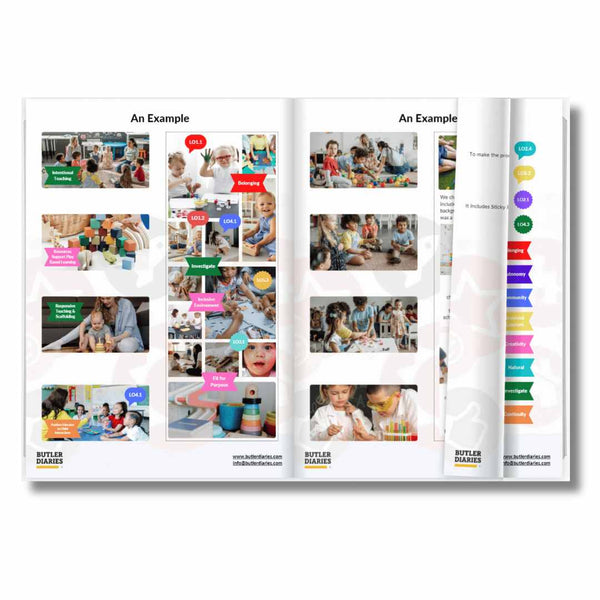

Weekly Checklist in the FDC Combined Compliance Checklist and Programming Diary
One of the most practical features of the Family Day Care Combined Compliance Checklist and Programming Diary is the adaptable Learning Outcome Checklist that appears in the monthly programming spread. While it may look simple at first glance, it has been carefully designed to support both clarity in programming and compliance with learning frameworks such as the EYLF and MTOP V2.0.

One of the most practical features of the Family Day Care Combined Compliance Checklist and Programming Diary is the adaptable Learning Outcome Checklist that appears in the monthly programming spread. While it may look simple at first glance, it has been carefully designed to support both clarity in programming and compliance with learning frameworks such as the EYLF and MTOP V2.0.
Why the Learning Outcome Checklist Matters
When programming across a full month, you could use the checklist to check out learning outcomes as you program for them week after week. However, this often leads to a common issue: by the end of the month, all outcomes may be ticked off, but the direct links between your planned experiences and specific outcomes may be unclear.
Your handy, convenient checklist designed to show strong links in your program becomes less clear and starts to resemble a tick and flick system.
The Learning Outcome Checklist addresses this challenge by allowing you to break down the month into manageable parts. You can use it to ensure each week's program clearly shows which outcomes it supports, without the risk of everything blending together into a generalised “all outcomes achieved.”
This is another way you are showing intentional planning and links to EYLF and MTOP and here's how you can do it:
How to Use the Checklist Effectively
You'll notice each week of the month is allocated a week number for example "week 1, week 2, week 3, etc". You can record your weekly links from your weekly programming columns to your learning outcome checklist in two main ways:
-
By week number: Simply write Wk1, Wk2, Wk3, or Wk4 in the box next to the relevant outcome. This will signal which learning outcomes are linked to which week's program. If you will cover the same outcome over multiple weeks, it may be helpful to shorten it to just numbers for example, 1, 2, 3, 4.
-
By date: If you prefer more precision, note the actual date of the program entry such as 16 or 17 to signal the 16th or 17th of that month.
This system provides flexibility while maintaining a clear link between your planned program and the learning outcomes.
For example:
-
On the week of the 16th, you run an art experience encouraging fine motor skills and self-expression. In the program, you record “Art activity – painting with different tools.”
-
In the checklist, you then mark “16” (or “Wk3”) next to Outcome 4: “Children are confident and involved learners.”
This means that anyone reviewing your program — whether a coordinator, assessor, or parent — can immediately see the connection between that week’s experience and the outcome.

Benefits for Documentation and Assessment
-
Clarity for assessment and ratings: By linking each week’s experiences directly to outcomes, you provide assessors with an easy-to-follow record that demonstrates intentional teaching and clear outcomes.
-
Avoiding over-generalisation: Instead of every outcome appearing “covered” without context, you show when and how each outcome is meaningfully supported.
-
Practical reflection tool: At the end of each month, the checklist provides a quick visual snapshot of which outcomes have been strongly addressed and where there may be opportunities for further focus in the following month.
Other Methods
You can of course use any other methods that suit you and your programming. Some other examples from our customers include:
-
Highlighting/colour coding: Some customers highlight/colour code the experience for more clarify and visual tracking.
-
Noting LO reference: Some customers write the learning outcome number next to the experience and tick the box for more clarify, for example, Threading LO3.2.
-
Stickers: Some customers use our learning outcome stickers to note the learning outcomes.
The above are just examples, feel free to adapt your program in any way that suits you.
Building Confidence in Programming
Using the Learning Outcome Checklist in the FDC Combined Compliance Checklist and Programming Diary consistently ensures that your program is systematic, reflective, and easy to follow. It strengthens your ability to demonstrate compliance, but more importantly, it shows the intentional ways you are supporting children’s learning and development each week.
Related Blog Posts
- Tips for Using the Monthly Programming and Reflection Spread in the Family Day Care Combined Compliance Checklist and Programming Diary
-
How to Use Butler Diaries’ Programming Tools for Minimum Documentation but Maximum Compliance
-
The Butler Method: Simplifying Programming and Reflection in Early Childhood Education and Care
-
5 Essential Planning Tools for Early Childhood Educators
-
Compliance in Early Childhood Education and Care